
How to Build a Membership Website with Paystack Payments
Build a membership website with Paystack by connecting checkout, webhooks, access rules, protected content, cancellations, and launch testing.


Online payment and subscription management screen
Quick answer
To build a membership website with Paystack, define the paid promise and membership states first. Then connect registration, Paystack checkout, verified payment events, access rules, protected content, member email, cancellations, and administrator controls. Test every transition in Paystack’s test environment before accepting live payments. The decisive requirement is synchronization: the website must grant or remove access from verified payment status, not from a browser redirect alone.
Define the Membership Website Before Choosing the Software
Start with the recurring customer promise, not Paystack configuration. A membership website needs a defined audience, a renewable reason to stay, clear access boundaries, and an operational response for every payment state.
Describe the offer in one sentence: who joins, what becomes available, and why the value continues after checkout. A coaching library may sell structured lessons and office hours; a professional association may sell resources, discussion, and events. If the proposition is only a downloadable file, a recurring membership may be the wrong commercial model. Founders exploring how to create a subscription website should settle this distinction before commissioning integrations.
- Define the member and the recurring outcome, not merely the content format.
- Name each membership tier and specify exactly which content, spaces, or privileges it unlocks.
- Choose whether access begins immediately, after approval, or on a scheduled cohort date.
- Write rules for failed payments, cancellations, refunds, expiry, upgrades, and downgrades.
- Assign responsibility for support, moderation, publishing, billing review, and account disputes.
Turn those choices into a small state model: visitor, registered user, active member, payment issue, cancelled member, and expired member. For every state, document what the person can view and what message they receive. This becomes the specification for developers, plugins, email automation, and support. The implication is blunt: if the access policy fits only in the founder’s head, the software cannot enforce it consistently.
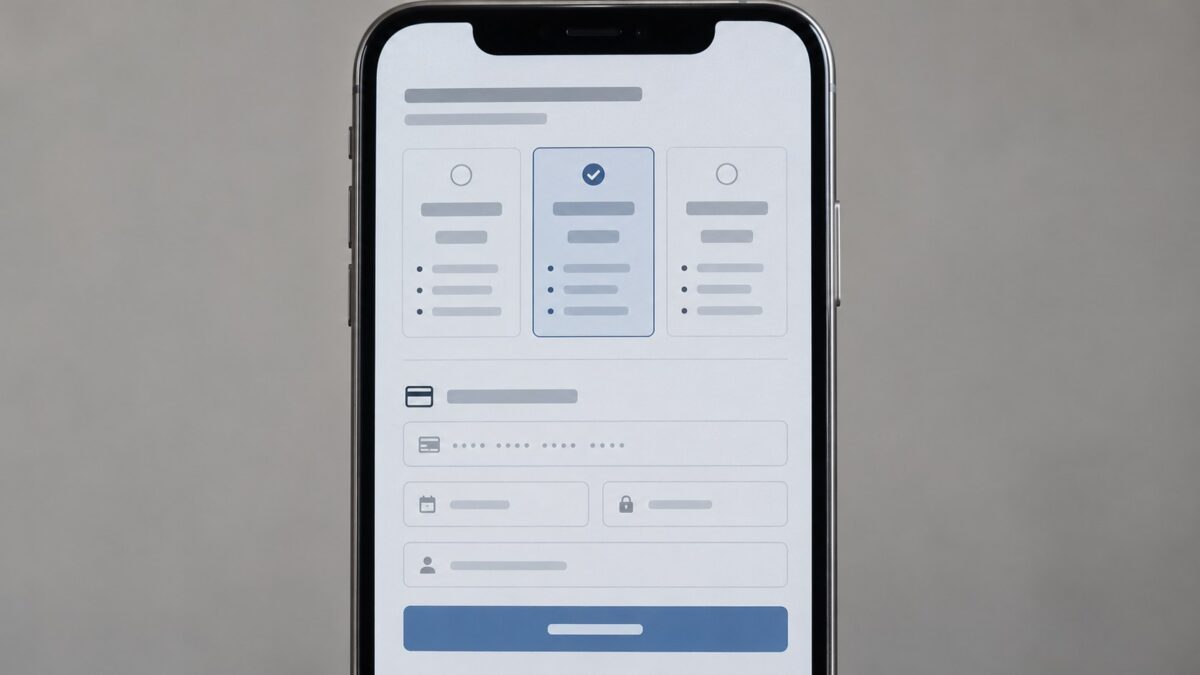
Consider a language tutor whose members receive a lesson archive, a private discussion space, and scheduled group practice. An active payer receives all three; a registered non-member sees only previews; a cancelled member retains access until the already-paid period ends; a member with a payment problem sees a recovery message rather than an unexplained lockout. That example exposes requirements a list of pages will miss: entitlement dates, event access, community permissions, and humane billing communication. Write this matrix before selecting a WordPress plugin or custom stack.
Build the Pages, Paywall, and Member Journey as One System
The essential structure is a public acquisition layer, an authenticated member area, a payment layer, and an administration layer. Each must pass reliable identity and entitlement data to the next.
A useful flow is landing page to tier comparison, account creation, Paystack checkout, payment verification, welcome message, and the correct member destination. Returning members need login, password recovery, billing guidance, and an obvious route to cancel or request help. The paywall should evaluate the signed-in account’s entitlement on every protected request; hiding a menu link is not access control.
- Landing pages explain the outcome, renewal terms, eligibility, and differences between tiers.
- Registration creates one durable user identity before payment and prevents duplicate accounts.
- The member area contains protected posts, media, discussions, events, or account-specific resources.
- Email handles verification, receipts, welcome, payment problems, cancellation confirmation, and recovery.
- Administration exposes member status, payment references, access changes, moderation, and support notes.
Keep content permissions separate from page design. Editors should be able to label an item for a tier without rebuilding templates, while administrators need manual access controls with an audit trail for exceptional cases. This matters especially for a private community platform, where a billing mistake can expose conversations as well as content. The next action is to diagram the full member journey and mark which system owns each decision.

Choose WordPress, a Creator Platform, or Custom Development
Choose the lightest architecture that can enforce your access model and survive your expected operational complexity. A quick launch is valuable only if routine billing changes do not become manual detective work.
| Route | Best fit | Main advantage | Constraint to examine |
|---|---|---|---|
| WordPress with a membership plugin | Standard tiers, protected pages, and a small operating team | Fast assembly using established publishing workflows | Plugin compatibility, webhook behavior, update ownership, and custom community features |
| Hosted creator or community platform | Founders prioritizing packaged publishing and engagement | Less infrastructure to operate directly | Brand control, data portability, payment flexibility, and platform rules |
| Custom membership website | Distinct workflows, multiple roles, or deep product integration | Control over identity, entitlements, experience, and roadmap | Greater build, testing, monitoring, and maintenance responsibility |
A WordPress membership Paystack setup can be sensible when the rules resemble conventional subscriptions and the chosen gateway extension supports the required currency, renewal behavior, and event handling. Paystack MemberPress or another connector should be evaluated as integration code, not as a reassuring logo in a settings screen. A hosted service can shorten setup, while custom development becomes rational when community actions, creator roles, approvals, or monetization logic define the product.
Review ownership as carefully as features: who controls the domain, member records, content, code, analytics, and migration path? A community platform for creators may need richer profiles and interaction than a basic paid-content website Paystack integration supplies. Select the route against written acceptance criteria, then prototype its riskiest payment-to-access transition before committing the whole build.

Connect Paystack Payments to Membership Access
Connect Paystack through server-side transaction initialization, verified callbacks, and authenticated webhooks. Grant access only after your server confirms a successful event and matches it to the intended user, tier, currency, and transaction.
Keep secret credentials on the server and separate test from live configuration. The browser can start checkout and display a return page, but a redirect is not proof of payment: it can be abandoned, replayed, or fabricated. Your server should verify the transaction, store gateway references, process each event idempotently, and update the entitlement ledger. Paystack subscriptions also require a deliberate plan for renewal, failure, cancellation, and the payment methods available for recurring charges in the merchant’s country.
- Create or identify the website account and selected membership tier.
- Initialize checkout on the server with an internal user and order reference.
- Send the member through Paystack’s hosted payment experience.
- Receive the callback, then verify payment server-side rather than trusting the return page.
- Accept the signed webhook, ignore duplicate events, update access, log the result, and send the appropriate email.
Worked example: Amara registers, selects a professional tier, and completes checkout. The return page says verification is in progress. The server verifies the reference, records her entitlement, and the webhook confirms the same event without granting access twice. Later, a cancellation event changes the membership to end-of-period access according to the published policy. The useful implication is that payment and access are related records, not one mutable checkbox.

Webhook processing needs a durable event log containing the event identifier, receipt time, relevant gateway reference, attempted action, and final outcome. Acknowledge valid events promptly, move slower work to a queue when appropriate, and make retries safe. If an event refers to an unknown account or contradicts local state, quarantine it for review instead of inventing a member. This modest machinery prevents duplicate access, missing cancellations, and support conversations that begin with the technically unhelpful phrase “the dashboard looks fine.”
Know When a Membership Plugin Is No Longer Enough
A basic plugin stops being enough when your business rules extend beyond page restriction and standard renewals. Warning signs include multiple member roles, creator payouts, moderation workflows, complex communities, custom entitlements, or frequent manual reconciliation.
Plugins remain useful when they own a narrow, testable job. Trouble begins when several extensions independently modify registration, checkout, email, access, and community roles. Updates can then change behavior across invisible boundaries, while support teams cannot tell which component is authoritative. If staff routinely repair status by hand, the apparent low-code saving has already become an operations cost.
- Test successful, abandoned, duplicate, delayed, failed, cancelled, refunded, upgraded, and downgraded payment paths.
- Confirm protected files and endpoints cannot be reached through direct URLs or stale sessions.
- Verify member emails, account recovery, support procedures, event logs, backups, and administrator permissions.
- Run the live cutover with controlled accounts, reconcile the resulting records, and keep a rollback procedure available.
After launch, review payment exceptions, access disputes, support patterns, and drop-off between registration and verified membership. The guide on how to improve website conversion rate on membership site is relevant once the transaction path is trustworthy; conversion experiments cannot rescue broken entitlement logic. When branded ownership, gated content, profiles, engagement, and monetization belong in one product, a purpose-built community implementation deserves comparison with the plugin stack.

Build the Community Around the Payment Flow
A working payment integration answers who paid. A durable membership business must also answer what members can access, how they engage, what administrators control, and how the experience remains recognizably yours.
Scrile Connect – Community Platform is designed for branded paid communities that combine memberships, exclusive content, gated access, profiles, engagement tools, administration, and monetization. It is a relevant route when those requirements form the product rather than a collection of loosely connected plugins.
Frequently asked questions
Can I build a membership website with Paystack?
Yes. Paystack can handle checkout and payment events, while your website or membership platform manages accounts, entitlements, protected content, communication, and administration.
Does Paystack protect membership content?
No. The website must enforce content and community permissions. Paystack reports payment activity; it is not the paywall or member-access system.
Can I use Paystack with WordPress membership plugins?
Yes, when a compatible gateway integration supports your currency, checkout model, renewals, and webhook requirements. Test the exact plugin combination before launch.
Are Paystack recurring payments the same as one-time payments?
No. Recurring billing adds renewal, failure, cancellation, and payment-method constraints. Confirm current country, currency, and method support directly for your merchant account.
Why are webhooks necessary for a subscription website Paystack setup?
Webhooks notify the site about payment events that occur after checkout, including later subscription changes. They keep access synchronized even when the member does not return to the website.
Should access be granted on the Paystack return page?
Not by trusting the redirect alone. The server should verify the transaction and apply an idempotent access update tied to the correct user and tier.
When should I choose custom development instead of a plugin?
Choose custom development when distinctive roles, community permissions, workflows, integrations, or monetization rules are central to the product and make plugin coordination fragile.
What should I test before accepting live membership payments?
Test checkout completion and abandonment, delayed and duplicate events, payment problems, cancellations, refunds, plan changes, account recovery, protected URLs, administrator actions, and reconciliation.
